
Not Just Laptops is supported by readers like you. When you buy through links on our site, we may earn a small commission at no additional cost to you. Learn more.
You may be a college student, teacher, hobbyist, or a beginner who has recently started using Fusion 360 and might be looking for a laptop that runs the software smoothly or you may be someone who might have experienced common errors like “Fusion 360 not opening” or “Fusion 360 not responding“.
Most of the time, such errors come because the laptop doesn’t have enough resources to run Fusion 360 and other 3D modeling & rendering software such as AutoCAD, Blender, Revit, Sketchup, Cinema 4D, etc., which means you need a reliable laptop with a decent chunk of RAM, Storage, and GPU that can run it with considerable ease.
We know that you are here because you are looking to buy a laptop that supports Fusion 360 and runs it without facing any lags. That’s why we did deep research, got in touch with experts who have been using it for years now. We asked for their suggestions, tested and reviewed all the suggested models, and are finally here with the list of best-rated laptops to work with Fusion 360.
For those who don’t know about Fusion 360, It is one of the most compelling and highly-rated CAD/CAM software in the market. It is free for students (including all engineering students, be it pursuing Civil or Mechanical) and even teachers. It connects all the tools in the cloud storage, making it easily accessible. The best thing about it is, it works on both Windows OS and macOS.
We understand that you are here to find the best-suited laptop for Fusion 360. But before you jump to the list, it’s important to know what are the system requirements to run Fusion 360 without facing any compatibility or other type of errors, and here we go!
Table of Contents
- Minimum & Recommended System Requirements
- Best Laptops
- 1. Best for Productivity: Lenovo - Slim 7i
- 2. Best from Apple: MacBook Pro M2
- 3. Best Mid-Range with Dedicated GPU: ASUS TUF Dash 15
- 4. Affordable Business Option: HP ProBook 250
- 5. Best for Students on a Budget: Lenovo Ideapad 3i
- 6. Best Eco-Friendly Fusion Laptop: Acer Aspire Vero
- 7. Best Budget Laptop: HP ENVY x360
- Verdict
Minimum & Recommended System Requirements
Note: The below-listed specifications may vary from the ones listed on the official page. This is because we prefer to suggest based on our testing. Anything less than the minimum spec criteria will throw errors and might give you sluggish performance, which you don’t want! Hence, it’s advisable to pick a machine that comes with more or less recommended specifications.
| Minimum | Recommended | |
|---|---|---|
| CPU | 12th Gen. Intel Core i5 or Ryzen 5 | 12th Gen. Intel Core i7 or Ryzen 7 |
| RAM | 8GB | 16GB or more |
| Storage | 256GB SSD | 512GB SSD |
| Display | 14-inch FHD IPS (1920 x 1080) | 15.6-inch FHD IPS (1920 x 1080) or better |
| GPU | (Integrated) Intel Iris Xe | (Dedicated) 4GB NVIDIA GeForce RTX 3050 or better |
Now that you know the minimum and optimal system requirements to run Fusion 360, let’s get our hands on the top 7 machines that you shall consider. And likewise, you can choose which one you would buy ultimately.
Best Laptops
1. Best for Productivity: Lenovo - Slim 7i
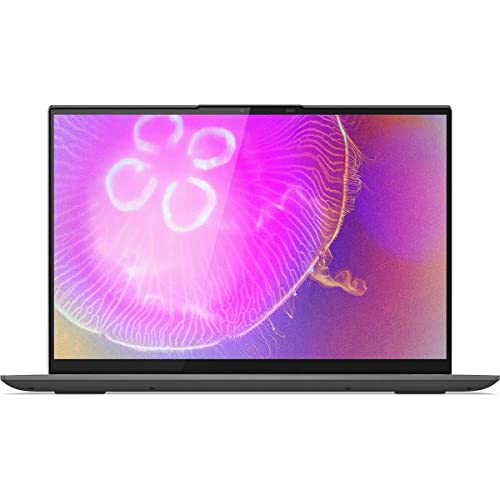
- CPU: 2.3GHz Intel Core i7-12700H
- RAM: 16GB DDR4
- Storage: 1TB SDD
- Display: 16-inch QHD (2560 x 1600)
- GPU: 4GB Intel Arc A370M
- Battery: Up to 6 hours
Slim 7i is a newer Lenovo laptop that happens to be great for Fusion 360. Besides impressive specs, this laptop is also touchscreen and very sleek, sealing the deal with a very reasonable price.
Fusion 360 relies mainly on CPU, and Slim’s 12th Gen. i7 is up to the task. I did both design and manufacturing with no hiccups or lags.
Intel’s new Arc GPU isn’t that common — but it has nice capabilities for both gaming, content creation and 3D modeling. It’s comparable to NVIDIA RTX 30-series, and, in line with that, I was able to render the workspace pretty fast.
As for RAM, I would have preferred a little more. If you’re a student or a young professional, 16GB will be enough, but for pros, I’d upgrade it to at least 32GB.
Lenovo’s hi-res WQXGA display is bright, vivid, and responsive. Personally, I don’t recommend a touchscreen for Fusion since a touchscreen lock can get you stuck in Fusion’s orbit mode. But if you’re a student or want to take notes, Lenovo’s panel feels excellent.
I do like the design — Slim feels sturdy, compact, with super-thin bezels and a comfy keyboard, which is a signature thing of Lenovo’s.
Battery life could have been better. I got around 5-6 hours of juice, which isn’t bad, but it’s far from what I got with LG Gram and MacBooks.
Overall, though, if you want productivity coupled with a touchscreen, the Lenovo Slim 7i is a great laptop for Fusion 360.
- What We Like
- Great CPU/GPU combo
- Large touchscreen display
- Sturdy and sleek
- Upgradable RAM
- Comfortable keyboard
- Good value for money
- What We Don’t Like
- Middling battery life
- Loud fans
2. Best from Apple: MacBook Pro M2
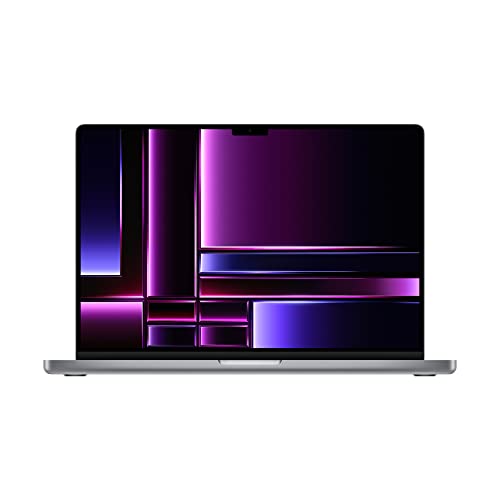
- CPU: 3.5GHz Apple M2 12-Core
- RAM: 16GB DDR5
- Storage: 1TB SSD
- Display: 16.2-inch XDR (3456 x 2234)
- GPU: Integrated Apple 19-Core
- Battery: Up to 15 hours
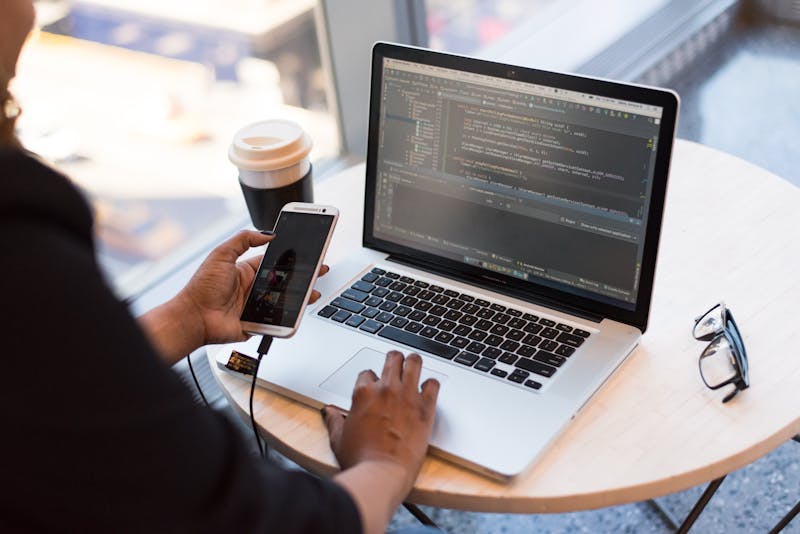

If budget is not the issue, MacBook Pro M2 is a fantastic laptop for Fusion 360. It’s a powerful machine with a gorgeous display and exceptional portability.
The M2 chip works well with most demanding applications, and Fusion is no different. I’ve enjoyed the lag-free workflow on a MacBook, with pretty good anti-aliasing and shadows.
16GB RAM may not sound like much, but over the years I’ve learned not to pay too much attention to MacBooks’ RAM. My MacBook Air M1 with only 8GB RAM performed way better than some 16GB RAM Windows laptops, and this still holds true for higher RAM.
What I will say is that MacBooks have some of the best displays on the market. Super hi-res, liquid Retina display feels great to work with, and it’s one of the rare panels that doesn’t cause me eye strain.
MacBooks are well-known for their portability — my Pro M2 easily pulled 15+ hours of work, even with heavy apps like Fusion 360. Plus, at 4.7 lbs, I really had no problem carrying it around (remember, this is a 16” machine).
Still, I know that some people find the macOS too much hassle, and I can somewhat relate to that. So if you don’t want to bother figuring things out, I’d go for a good Windows laptop instead.
And let’s face it, MacBooks aren’t cheap. But for the price you pay, you get a Fusion 360 laptop that will serve you lots of years, and excel at performance.
- What We Like
- Awesome performance
- Gorgeous display
- Sturdy and classy design
- Ultra-comfy keyboard
- Long battery life
- 1TB SSD
- What We Don’t Like
- Pricey
- macOS can be a hassle
3. Best Mid-Range with Dedicated GPU: ASUS TUF Dash 15
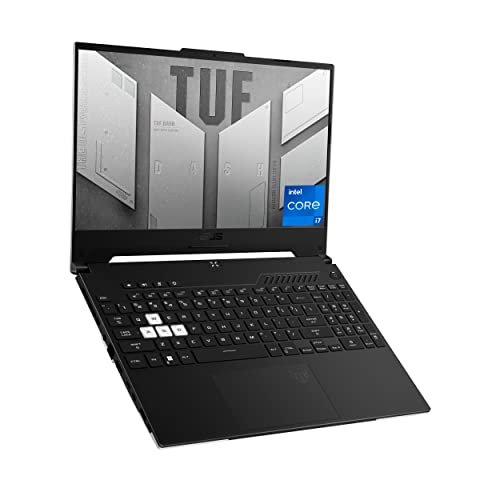
- CPU: 2.3GHz Intel Core i7-12650H
- RAM: 16GB DDR5
- Storage: 512GB SDD
- Display: 15.6-Inch FHD (1920 x 1080)
- GPU: 6GB NVidia GeForce RTX 3060
- Battery: Up to 7 hours
Lots of gaming laptops work really well with 3D modeling, and ASUS TUF is one my favorites. This Fusion 360 laptop has great specs, a smart design, and a neat display.
Underneath the hood, there is a 12th Gen. i7 and a dedicated RTX 3060, which is a great pairing for Fusion. I got pretty good results even with larger projects, with hundreds of components. And, seeing that RTX 3060 is a dedicated GPU, the rendering of the workspace went really fast.
Granted, there could have been more RAM, but TUF’s DDR5 is a lot faster than DDR4 — and it shows. Still, if you need more, you can upgrade.
TUF’s display is a hi-res panel with a high refresh rate, and I love that it’s elevated above the deck, since it makes it easier to focus on work. Like most gaming laptops, the 144Hz doesn’t have the best color accuracy, but the QHD version is great in this regard.
The laptop looks very sturdy and elegant. The military-grade body weighs only 4.4 lbs, which is quite light for a machine this capable.
Most ports are on the left side, so if you use lots of peripherals, this might be an issue. On the flip side, you do get a very good port selection.
Overall, I thought TUF Dash 15 was a super-versatile laptop, for both Fusion 360 and other demanding tasks. And the price definitely sweetens the pot.
- What We Like
- Great performance
- Elegant design
- Lightweight
- Compact and comfy keyboard
- Good I/O
- Affordable
- What We Don’t Like
- Low color accuracy
- Most ports on the left side
4. Affordable Business Option: HP ProBook 250

- CPU: 1.8GHz Intel Core i7-1255U
- RAM: 64GB DDR4
- Storage: 1TB SSD
- Display: 15.6-inch FHD (1920 x 1080)
- GPU: Integrated Intel Iris Xe
- Battery: Up to 8 hours
Finding a good business-looking laptop for Fusion 360 is no easy task, but HP ProBook delivers — with good overall performance, classy design, and great portability.
The 12th Gen. i7 is more than capable of running Fusion 360, but you might have your doubts about the integrated GPU. Hear me out — not only is Intel Iris the most capable iGPU on the market, but Fusion 360 isn’t that hard on GPU, to begin with. The only time I noticed a slight lag was when working on really complex assemblies.
However, this laptop has 64GB RAM, which is a lot — and this amount of RAM cuts through workload like butter.
Design-wise, if you want a classy office laptop, this is it. HP ProBook comes in a black elegant chassis, with a polished HP logo, and feels great to the touch.
With 4.48 lbs of weight and 8 hours of battery life, the machine is easy to carry around, and I was able to get a whole workday with it.
The display is hi-res but I do wish it was a little brighter. So, for detail-sensitive work, I usually plug in the external monitor.
Like most HPs, the keyboard on ProBook is compact and feels nice when typing. The backlight is visible, though I did mistype here and there because of a relatively weak backlight.
Overall, however, HP ProBook is a sophisticated workhorse and a great, affordable office laptop for Fusion 360.
- What We Like
- Great business look
- Strong CPU/GPU combo
- Ample RAM
- Lightweight and sturdy
- Solid battery life
- Lots of storage
- What We Don’t Like
- Low brightness
- Mediocre webcam
5. Best for Students on a Budget: Lenovo Ideapad 3i

- CPU: 1.3 GHz Intel Core i5-1235U
- RAM: 16GB DDR4
- Storage: 1TB SSD
- Display: 14-inch FHD (1920×1080)
- GPU: Integrated Intel Iris Xe
- Battery: Up to 6 hours
If you need a budget laptop for Fusion 360 and your studies, the IdeaPad 3i might just be the thing. This affordable laptop brings a strong processor, solid portability, and great keyboard.
The IdeaPad 3i sports the same Intel Iris GPU from the HP ProBook above, coupled with a 12th Gen. i5 processor. I was able to run light-to-mid tasks in Fusion 360 with no lags, though heavier applications will require more firepower.
Take into account that the laptop has 16GB RAM, which means that it might stutter with large assemblies and industrial uses. However, if your coursework revolves around planning, designing and simulating single products — even the complex ones — you’ll do fine.
I like the size of the IdeaPad — 3.5 lbs feel very easy to carry, and a 14” form factor fits into any backpack. Although it’s plastic, the chassis feels quite sturdy.
When it comes to battery life, you can get by with 5-6 hours. Depending on your college obligations, this might or might not be enough, so do bring a charger.
All my IdeaPads get loud from time to time. It’s not a consistent whirring — more like the fans turn on just to clearly let me know they’re there. It’s not a bad thing, but I wouldn’t do heavy-duty tasks in, say, the library.
Still, with a bright 14” display and really comfy keyboard, the IdeaPad 3i is a laptop that will get you through Fusion 360 and many other apps.
- What We Like
- Affordable
- Sleek design
- Lightweight and portable
- Solid CPU and RAM
- Comfy keyboard and trackpad
- Good display
- What We Don’t Like
- Loud fans
- Middling battery life
6. Best Eco-Friendly Fusion Laptop: Acer Aspire Vero

- CPU: 1.7GHz Intel Core i7-1255U
- RAM: 16GB DDR4
- Storage: 1TB SSD
- Display: 15.6-inch FHD (1920 x 1080)
- GPU: Integrated Intel Iris Xe
- Battery: Up to 9 hours
Say you find yourself somewhere between the Lenovo IdeaPad 3i and HP ProBook on this list — and you care about ecology. If that’s the case, Acer Aspire Vero might be the best pick for Fusion 360.
Humming with a 12th Gen. i7 and Intel Iris, Vero strikes a pretty sweet balance between the price and performance. An i7 is a great CPU for Fusion, and my work on this laptop ran really well — and faster than the IdeaPad.
Still, the 16GB RAM is no match for HP’s 64GB RAM, though this can be upgraded.
Aspire Vero’s design is pledged to ecology — the chassis is made from recycled plastic, and it feels very sturdy. Personally, I like the gritty texture with green speckles, but that may not be your cup of tea.
I’ll give bonus points to Acer for pulling a display like the one on Vero — a very color-accurate, IPS panel looks amazingly crisp and vivid, though a little more brightness would have been nice.
Moreover, with 3.88 lbs of weight, this laptop is light and easy to carry around, whether to the office or campus.
The battery life is solid — I got easy 7-9 hours with Vero, which is ok, but far from the advertised 13.5 hours.
Overall, Acer Aspire Vero is one of the laptops for Fusion 360 with great value for money and a top pick for students and young professionals.
- What We Like
- Strong CPU/GPU combo
- Eco-conscious, sturdy design
- Lightweight
- Great color accuracy
- Included numpad
- Affordable
- What We Don’t Like
- Display could be brighter
- Mediocre battery life
7. Best Budget Laptop: HP ENVY x360
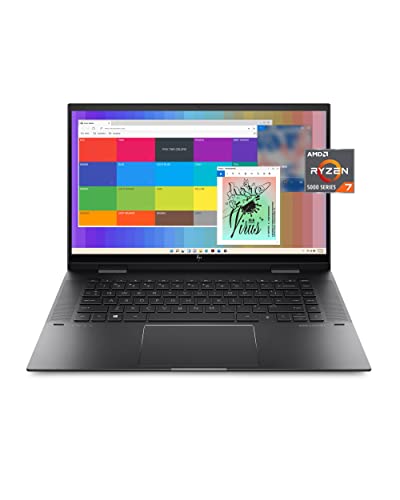
- CPU: 2.0GHz AMD Ryzen 7 5825U
- RAM: 8GB DDR4
- Storage: 512GB SDD
- Display: 15-inch FHD Touch (1920 x 1080)
- GPU: Integrated Radeon RX Vega 8
- Battery: Up to 11 hours


Who said you couldn’t have a budget laptop for Fusion 360 AND a convertible at that? HP Envy x360 is one such machine with a touchscreen panel.
Envy packs a Ryzen 7 CPU and AMD Radeon graphics. It’s not the strongest combo out there, but it worked great with light and medium Fusion workload. If you’re working with heavy assemblies and super-complex simulations, I’d still go for Intel i7.
Nevertheless, the display looks amazing — I love the deep blacks and contrast on this machine, along with a responsive touchscreen that supports both pen and touch features. Since this is a convertible, the display flips back 360°.
Plus, the body feels light, so it’s another portable laptop that you can take with you. Though you’ll probably need a proper laptop bag, since this is a 15.6” laptop.
Design-wise, Envy resembles HP ProBook with a sleek and polished business look.
The biggest concern, when it comes to running Fusion 360, is the 8GB RAM. An occasional lag or stutter did occur, so I’d upgrade it to at least 16GB RAM (a RAM stick is around $50).
However, with a solid battery life of 6-8 hours, I’d say HP Envy has a lot going for it.
Overall, if you want a touchscreen budget laptop, some corners have to be cut. In case you’re a student or a young professional, HP Envy x360 will serve you a good number of years.
- What We Like
- Responsive touchscreen panel
- Affordable
- Sleek business design
- Lightweight
- Compact keyboard
- Solid performance
- What We Don’t Like
- Limited RAM
- Mediocre battery life
Verdict
Well, these are some of the best laptops for Fusion 360 that we have reviewed and carefully curated just for your benefit. There might be lots of options available as well, but these are reviewed, checked, and verified perfectly making sure it meets all your needs. If you aren’t willing to spend a lot of money on the laptop, we have mentioned the cheap ones too that you can surely afford and go for.
While if you are okay with adding more money, just for the best option that has the best feature without compromising on anything further. If you are looking for more information on these laptops you can visit their official websites where you can find all the technical details and details to understand the product better.
Many of you may not be a big techie person, which is why this list has been shortlisted and presented in a way understandable to everyone. So, choose wisely.