Not Just Laptops is supported by readers like you. When you buy through links on our site, we may earn a small commission at no additional cost to you. Learn more.
Most modern laptops can work with the Cricut Maker, Explore Air, Air 2, and Joy without running into any issues. But why get the one that is JUST compatible when you can get a much better machine that provides high performance without breaking the bank?
Whether you are a beginner or an expert at precision crafting, the laptops in this list will keep up with the performance so that you can focus on your work. For those who don’t know about electronic cutting machines, we’re going to explain a bit about them.
But if you already have enough knowledge about them, spend huge working with them, and are just looking for laptop suggestions, then feel free to jump to the list.
The Cricut Maker & Explore Air, Air 2 are among the top-rated electronic cutting machines. They are quite popular among people and businesses based on arts and crafts. It cuts out the paper on a special adhesive mat. These cutting machines can cut vinyl, foam paper, leather, and other fabrics & materials for crafting purposes.
Besides all of the above, the device can also be used as a printer to print designs.
Is your current laptop unable to work properly with the Cricut Design Space (some people call it Design Studio) software or the Maker, Explore, or even Air & Air 2 after trying all the troubleshooting steps? You certainly must be looking for a new laptop that can efficiently work and connect with the device.
Table of Contents
- Minimum & Recommended System Requirements
- Buying Guide for Laptops for Cricut Maker, Explore Air, Air 2 & Joy
- Top 7 Laptops for Cricut Maker, Explore Air, Air 2 & Joy
- 1. Budget Cricut Laptop: HP 14
- 2. Excellent Value: Acer Aspire 5
- 3. Top of the Line 17″ Laptop for Cricut: LG gram 17
- 4. Beatiful Display & Ample Storage: ASUS Zenbook 14
- 5. Premium Cutting Experience: MacBook Air M2 15
- 6. Entry-Level Option for Cricut Design Space: Lenovo IdeaPad 3
- 7. Mid-Range Convertible: HP Pavilion x360
- FAQs about Laptops for Cricut Maker, Explore Air, Air 2 & Joy
- Which mobile SoC should be prioritized for running Cricut Design Space?
- What is the best RAM setup for Cricut Design Space?
- What are the best software solutions for professional Cricut users?
- Does Cricut work with Linux?
- Does Cricut Explore Air 2 work with a laptop?
- What Laptops Are Compatible With Cricut Design Space?
- Verdict
Minimum & Recommended System Requirements
You will be using the Cricut Design Space software a lot when working on the Cricut cutting machines. Besides providing a space for designing, it’s also an interface between the laptop and the machines be it Cricut Joy, Air, Air 2, Cricut Maker, or even the old Explore One. Below we’ve listed the minimum & recommended specifications to concentrate on.
We also listed the specs for each laptop, making it easy to compare them.
| Minimum | Recommended | |
|---|---|---|
| CPU | 11th Gen Intel Core i3 or AMD Ryzen 3 5000 series | 12th Gen Intel Core i5 or AMD Ryzen 5 6000 series |
| RAM | 8GB | 16GB |
| Storage | 256GB SSD | 512GB SSD |
| Display | 14-inch FHD (1920 x 1080) | 15.6-inch FHD (1920 x 1080) |
| GPU | Integrated Intel Iris Xe or AMD equivalent | 4GB NVIDIA GeForce RTX 3000 or AMD RX 6000 series |
A laptop that meets the above-stated specifications will readily help you multitask, and use other software, web browsers, etc., concurrently. Additionally, it can also ensure butter-smooth performance when connected with Cricut Explore and Maker.
Buying Guide for Laptops for Cricut Maker, Explore Air, Air 2 & Joy
Whether you are looking to buy a laptop for Cricut Maker (or Cricut Maker 3), Explore Air, Air 2, Joy, you have two things in common:
1. You will use Cricut Design Space
2. You will want a reliable laptop
Choosing an efficient laptop to run your Cricut machine and with Cricut Design Space can be difficult because there are so many factors to consider.
We hope we made the job easier by putting together this buying guide below. Keep these in mind when you are selecting your new laptop for Cricut. By the way, we kept all this in mind when choosing the best notebooks for this page.
1. Operating System
The good news is that the Cricut Maker is compatible with both Windows and macOS. However, you need to have a laptop with a higher operating system to support all the future updates of the software. I recently got my Cricut Maker (the earlier version) and I’m working on a MacBook Pro. I had no issues whatsoever running my Cricut Machine or Design Space.
While you can easily run the Cricut Maker on Windows 8, we’d recommend you run it on Windows 10 or 11 Home/Pro.
IMPORTANT: Cricut’s official software isn’t compatible with Windows in S mode or with Chromebooks or Unix / Linux operating system.
Note
You can get a ‘Windows in S mode’ laptop for a lot less than a “regular” Windows 10. Then you can “get out” of S mode by following these simple steps.
2. Processor Power & RAM
You don’t need a powerful computer for working in Design Space. In fact, as we mentioned most newer laptops will work just fine. But also think about what other software you will use.
According to the official requirements stated by Cricut, you only need to have a minimum of 4GB RAM on your laptop. Even budget laptops come with 4GB RAM. However, Adobe Illustrator, for example, requires 8 GB of RAM and 16 GB recommended.
Also, not all laptops can be upgraded, so if this is important to you, make sure you can add more RAM or you can replace it with larger memory sticks in the future.
If you’re looking for a budget-level laptop and only planning to run Cricut Design Space with any of the Cricut cutting machines, you can go for any budget range processor such as Intel Core i3 or AMD Ryzen 3. You will get a decent cutting and designing performance from them, and that too within your budget.
However, if you plan to use other designing software as well, such as Adobe Photoshop, Adobe Illustrator, or Corel Draw, etc. investing in a laptop with a processor Intel Core i5 or AMD Ryzen 5 or better.
Now this doesn’t necessarily mean Intel Core i3 or AMD Ryzen 3 can’t run these software. But, you might face poor performance and lag. That’s why you want to go for a processor that can provide you with effortless performance and can handle future software updates.
3. Storage
Storage requirement depends upon how much you’ll be saving on your hard drive. Since Design Space for Web is no longer supported, the Design Space Desktop version will save your designs locally on your computer. And you will also need to save images directly to your device.
Additionally, you might need to store heavy files such as videos and images on the laptop as they can be useful while designing. So, we recommend at least 256GB SSD storage. If you are planning to work on a lot of larger files or if you will use your laptop for videos or save a lot of photos, consider getting a laptop with 512GB SSD storage.
However, if you are on a tight budget, you can go with a 128GB SSD storage and get an external thumb drive or external SSD storage for about $25-$35.
Make sure to select a laptop with SSD, not HDD. You’ll thank me later. The reason we recommend SSD over HDD is that it is energy efficient and much faster. So, having SSD storage on your laptop means that the device will boot up faster, and your laptop will be speedier.
4. Display & Screen Size
Make sure that the laptop’s screen resolution is suitable enough to run Cricut Design Space, and the size should easily fit all the menus and windows on one screen. It aids your efficiency when working with larger projects, or developing designs.
The good news is that the majority of the latest laptops come with a decent resolution to meet the minimum requirement of 1024×768 resolution to run Design Space.
However, we recommend going with at least Full HD 1080p resolution, especially if you intend to work with intricate designs and will also use your laptop for other designing software such as Adobe Photoshop and Adobe Illustrator.
And, if you’re also into visual work, going for something higher like a 2K (or 4K if your budget allows) will make a huge difference.
Again, it obviously depends on your budget, as laptops with 4K monitors tend to be on the pricier end of the spectrum.
The display size is a personal choice, however we’d suggest not to go below 12 inches as anything below that will affect your viewing experience.
15-17 inches is the ideal size if you’re not moving a lot.
Or you can consider getting one or two external monitors. That’s how my setup is and I love it.
Most laptops will support one monitor at least, but be sure that they have the correct port for it. See the “Connectivity” section below for more info.
5. Battery Life
This is kinda obvious, but if you are traveling a lot or like to work in cafes, etc, go for a laptop with 8 to 10-hour battery life.
If you are mostly working where you can plug in your laptop anything around 5 hours is OK.
Again, it comes down to your lifestyle and preference.
6. Connectivity
The standard USB Type-A is the most crucial port for connecting to Cricut. However, make sure that you get the latest 3.0+ version for reliable and faster connection.
The laptop should also be equipped with at least Bluetooth 4.0 to transfer data on the go.
DisplayPort, HDMI, Thunderbolt 3, or USB Type-C are also essential for connecting to an external display.
If you want a more reliable internet connection, ensure that the laptop comes with the latest Wi-Fi card.
All the new models are equipped with the latest Wi-Fi card, such as Wi-Fi 5 or 6, that provide a more stable range than the older ones.
8. Portability (Weight)
This is another obvious reason but we wanted to mention this to make this guide comprehensive: If you intend to use the laptop at home or in the office, you can neglect the portability factor.
However, if you need to carry the device from one place to another or are often traveling, choose a lightweight laptop.
For high portability, the laptop should not weigh more than 5 lbs. Anything heavier than that isn’t suitable if you’re constantly on the go.
9. Upgrading
You should be able to upgrade the best laptop for Cricut Maker easily.
Upgrade it how?
Since the technology is evolving fast, the laptop may not perform the same after a few years.
We are talking about upgrading the RAM here. Some newer laptops’ RAM either can’t be upgraded or they can be very limited. We
You can buy some extra time with upgrading the RAM before finally having to replace the computer.
Top 7 Laptops for Cricut Maker, Explore Air, Air 2 & Joy
1. Budget Cricut Laptop: HP 14
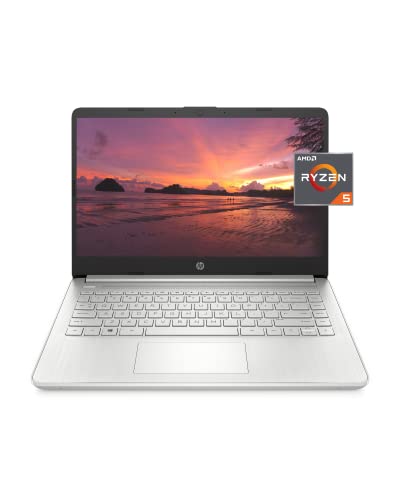
- CPU: 2.1GHz AMD Ryzen 5 5500U
- RAM: 8GB DDR4
- Storage: 256GB SSD
- Display: 14-inch FHD (1920 x 1080)
- GPU: Integrated Radeon 448SP
- Battery: Up to 7.5 hours
The HP 14 laptop stands as a stalwart ally in the world of crafting and design.
Equipped with a formidable 2.1GHz AMD Ryzen 5 5500U processor and a robust 8GB of DDR4 RAM, this laptop ensures that your design applications and crafting projects run with seamless efficiency.
The 14-inch FHD display, boasting a resolution of 1920 x 1080, provides a canvas that’s both vibrant and spacious—perfect for intricate crafting work.
What’s truly remarkable is the integration of Radeon 448SP graphics, offering an optimal balance between performance and graphics capabilities. While this laptop might not be aimed at intense gaming experiences, it’s tailor-made for running Cricut software and design applications smoothly.
Furthermore, the battery life of up to 7.5 hours ensures that your creativity knows no bounds, allowing you to dive into crafting projects without worrying about losing power midway.
- What We Like
- Responsive Processing Power
- Full HD Display for Clear Project Viewing
- Decent RAM Capacity
- Balanced Performance
- Lightweight and Portable
- What We Don’t Like
- Integrated Graphics
2. Excellent Value: Acer Aspire 5
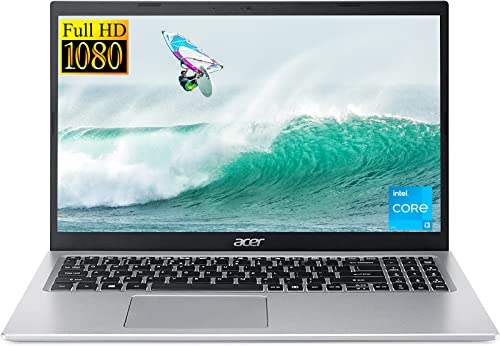
- CPU: 3GHz Intel Core i3-1115G4
- RAM: 20GB DDR4
- Storage: 512GB SSD
- Display: 15.6-inch FHD (1920 x 1080)
- GPU: Integrated Intel UHD Graphics
- Battery: Up to 8 hours


The Acer Aspire 5 seamlessly melds with your Cricut devices, creating a versatile and robust crafting companion. Fueled by an impressive 3GHz Intel Core i3-1115G4 processor and an ample 20GB of DDR4 RAM, this laptop guarantees responsiveness and efficiency when handling your design software and crafting endeavors.
The expansive 15.6-inch FHD display offers a generous viewing area, enhancing your project visualization experience.
The integration of Intel UHD Graphics ensures that while this laptop may not be designed for high-end graphical tasks, it adeptly manages Cricut software and design applications.
A battery life of up to 8 hours allows you to indulge in your creative passions for extended periods, without the constant need for recharging.
- What We Like
- Generous RAM Capacity
- Ample Storage
- Decent Processor Speed
- Portable Design
- Balanced Performance
- What We Don’t Like
- Integrated Graphics
3. Top of the Line 17″ Laptop for Cricut: LG gram 17
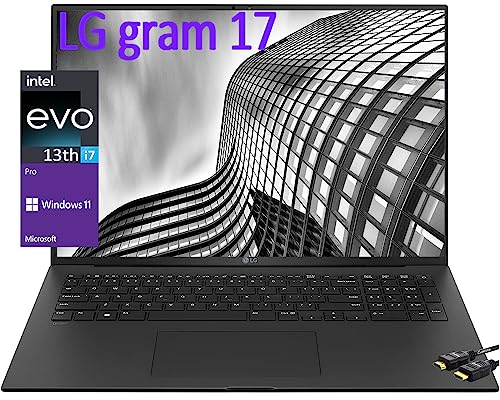
- CPU: 2.2GHz Intel Core i7-1360P
- RAM: 16GB DDR5
- Storage: 1TB SSD
- Display: 17.3-inch WQXGA (2560 x 1600)
- GPU: Integrated Intel Iris Xe
- Battery: Up to 12 hours

The LG gram 17 strikes a harmonious balance between portability and performance, making it an ideal partner for your Cricut endeavors.
Anchored by a powerful 2.2GHz Intel Core i7-1360P processor and 16GB of DDR5 RAM, this laptop ensures smooth operation of design software, offering a responsive and seamless crafting experience.
The expansive 17.3-inch WQXGA display, with a resolution of 2560 x 1600, affords you ample space to bring your creative visions to life.
With integrated Intel Iris Xe graphics, the LG gram 17 adeptly handles Cricut software and design applications, guaranteeing precise and fluid project rendering.
The impressive battery life of up to 12 hours empowers you to indulge in extended crafting sessions without the constant need for recharging.
- What We Like
- Lightweight and Portable Design
- Ample RAM and Storage
- Efficient Processor Performance
- Extended Battery Life
- Crisp WQXGA Display
- What We Don’t Like
- Integrated Graphics
4. Beatiful Display & Ample Storage: ASUS Zenbook 14

- CPU: 1.7GHz Intel Core i5-1240P
- RAM: 8GB DDR4
- Storage: 1TB SSD
- Display: 14-inch 2.8K (2880x 1800)
- GPU: Integrated Intel Iris Xe
- Battery: Up to 11 hours
The ASUS Zenbook 14 is a testament to precision and power, ensuring a seamless collaboration with your Cricut machines for a superlative crafting experience.
Bolstered by a 1.7GHz Intel Core i5-1240P processor and equipped with 8GB of DDR4 RAM, this laptop guarantees the swift execution of design applications, enabling you to navigate your crafting projects effortlessly.
The 14-inch 2.8K display, with an impressive resolution of 2880 x 1800, elevates your project visualization with stunning clarity.
Harnessing the capabilities of integrated Intel Iris Xe graphics, the ASUS Zenbook14 proficiently accommodates Cricut software and design applications, resulting in glitch-free project rendering.The commendable battery life of up to 11 hours ensures uninterrupted creativity and crafting sessions.
- What We Like
- High-Resolution 2.8K Display
- Efficient Processor Performance
- Ample Storage Capacity
- Portable and Lightweight Design
- Extended Battery Life
- What We Don’t Like
- Integrated Graphics
5. Premium Cutting Experience: MacBook Air M2 15
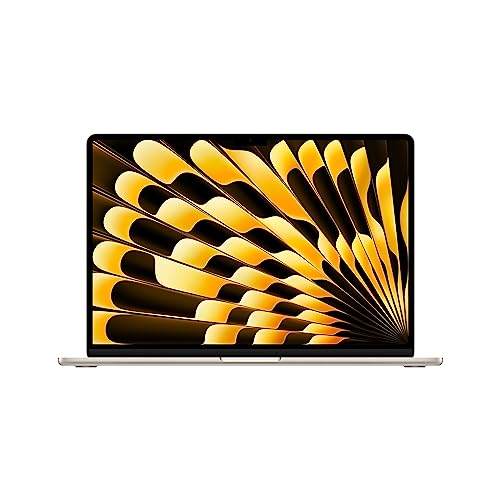
- CPU: 3.5GHz 8-core M2
- RAM: 8GB DDR5
- Storage: 256GB SSD
- Display: 15.3-inch Retina (2880 x 1864)
- GPU: Integrated Apple 10-core GPU
- Battery: Up to 18 Hours
The MacBook Air M2 15 embodies a fusion of power and elegance, making it an exceptional choice for realizing your creative visions in partnership with your Cricut machines.
Featuring a commanding 3.5GHz 8-core M2 processor and 8GB of DDR5 RAM, this MacBook Air guarantees exceptional performance when navigating design software and executing crafting projects.
The 15.3-inch Retina display, boasting a resolution of 2880 x 1864, envelops you in a world of vivid visuals.
Empowered by the integrated Apple 10-core GPU, the MacBook Air M2 15 optimizes Cricut applications and design software, ensuring a fluid and seamless crafting experience.
With a staggering battery life of up to 18 hours, this MacBook Air accommodates protracted crafting sessions and creative endeavors with unparalleled endurance.
- What We Like
- Sleek and Stylish Design
- High-Quality Retina Display
- Efficient Processor and GPU Performance
- Remarkable Battery Life
- Lightweight and Portable
- What We Don’t Like
- Limited Onboard Storage
- Integrated GPU
6. Entry-Level Option for Cricut Design Space: Lenovo IdeaPad 3

- CPU: 3GHz Intel Core i3-1115G4
- RAM: 8GB DDR4
- Storage: 128GB SSD
- Display: 14-inch FHD (1920 x 1080)
- GPU: Integrated Intel UHD Graphics
- Battery: Up to 10 hours
The Lenovo IdeaPad 3 serves as a gateway to the world of crafting exploration, seamlessly complementing your Cricut machines.
Anchored by a robust 3GHz Intel Core i3-1115G4 processor and fortified with 8GB of DDR4 RAM, this laptop provides a responsive platform for running design applications and crafting projects. The 14-inch FHD display, boasting a resolution of 1920 x 1080, offers a clear and vibrant workspace for your creative endeavors.
Empowered by integrated Intel UHD Graphics, the IdeaPad 3 adeptly handles Cricut software and design applications, ensuring a seamless and glitch-free crafting experience.
A battery life of up to 10 hours ensures that you have ample time to explore your crafting passion without worrying about running out of battery power.
- What We Like
- Responsive Processor Performance
- Portable and Lightweight Design
- Decent RAM Capacity
- Clear FHD Display
- Competitive Battery Life
- What We Don’t Like
- Integrated Graphics
- Limited Onboard Storage
7. Mid-Range Convertible: HP Pavilion x360
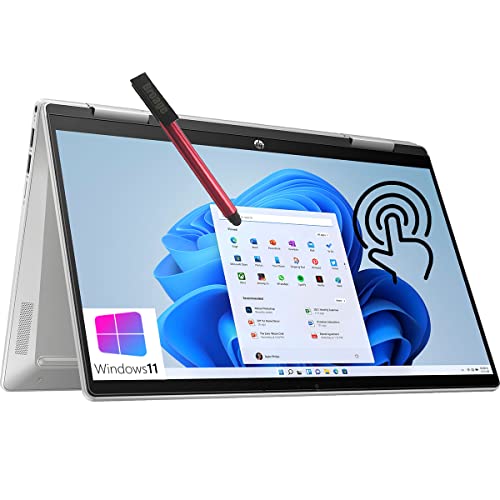
- CPU: 1.3GHz Intel Core i5-1235U
- RAM: 8GB DDR4
- Storage: 256GB SSD
- Display: 14-inch FHD (1920 x 1080)
- GPU: Integrated Intel Iris Xe
- Battery: Up to 8 hours
The HP Pavilion x360 stands as a testament to versatility and craftsmanship, offering a platform that complements your Cricut devices with finesse.
Driven by a 1.3GHz Intel Core i5-1235U processor and armed with 8GB of DDR4 RAM, this laptop guarantees efficient performance for running design applications and crafting projects. The 14-inch FHD display, boasting a resolution of 1920 x 1080, delivers crisp and vibrant visuals for your creative pursuits.
Equipped with integrated Intel Iris Xe graphics, the HP Pavilion x360 adeptly caters to the intricacies of Cricut software and design applications.
A battery life of up to 8 hours ensures that your crafting sessions remain uninterrupted, allowing you to fully immerse yourself in your creative projects without worrying about losing power.
- What We Like
- Flexible 2-in-1 Design
- Efficient Processor Performance
- Clear FHD Display
- Balanced Performance
- Decent Battery Life
- What We Don’t Like
- Integrated Graphics
- Limited Onboard Storage
FAQs about Laptops for Cricut Maker, Explore Air, Air 2 & Joy
Which mobile SoC should be prioritized for running Cricut Design Space?
If you are into crafting and dependent on Cricut machines for managing professional workflow, it is important to invest in a laptop featuring at least a quad-core processor.
While the H-series, 6-core chipsets might be overall, we would suggest purchasing machines with 11th gen i5 or i7 processors, preferably the U-series ones. U and G-series processors are power-efficient and laptops featuring these come at a pretty affordable tick.
Besides, 11th gen mobile SoCs need to be prioritized to manage the subsequent version of the Design Space and the functionalities that come along.
What is the best RAM setup for Cricut Design Space?
If you are a professional using Cricut Maker and you use Adobe Software suite in addition to Cricut Design Space, you want to aim for something in the 16GB ballpark.
If you are more of a hobbyist and want to use only Cricut Design Space for Cricut Joy and Cricut Explore Air 2, a computer with 8GB will be sufficient. Given that you are not planning to use multiple applications simultaneously.
For complex designs and subsequent prints via Cricut Maker look for a laptop with at least 12GB to avoid system slowdowns.
What are the best software solutions for professional Cricut users?
Although you can always prepare designs for mugs, leather rings, and other 3-Dimensional products using Photoshop and Illustrator, these applications hardly adhere to the complexities that a Cricut machine is capable of handling.
This is why you must invest in Cricut-compatible software solutions, apart from the proprietary Design Space. Some of the best software solutions for Cricut including Make the Cut, best known for preparing exceptional die-cut designs, Inkscape, Sure Cuts a Lot, and for vinyl crafts the famed Silhouette Studio.
Does Cricut work with Linux?
According to Cricut’s official system requirements, Cricut’s Design Space software is not compatible with Unix / Linux Computers.
Does Cricut Explore Air 2 work with a laptop?
Yes, all Cricut machines and their official software: Design Space are all compatible with laptops running Windows 8 or later and macOS 10.15 or later operating systems.
What Laptops Are Compatible With Cricut Design Space?
Cricut Design Space will run on pretty much any Windows or MacBook laptop. Laptops that meet the minimum system requirements can be used to run Cricut Design Space.
For Windows, the laptop must have a Pentium 4 or higher (any core i3, i5, etc.) processor, 2GB of RAM, and a graphics card with at least 128MB of onboard memory. For Macs, pretty much any laptop that was manufactured after 2010 will work just fine.
Verdict
While each laptop mentioned on the list handles Cricut designs and crafts like a pro, not every notebook is created alike. Moreover, as the specs sheet is comparable in most models, it often becomes difficult to choose the perfect one, as per budget and preferences.
Therefore, if your mind is rife with confusion, here are some of our curated recommendations:
- If you want best portable laptop for Cricut Maker, Cricut Explore, and every machine there is followed by excellent compatibility with Cricut Design Space, consider the ASUS Zenbook 14.
- The HP Pavilion x360 is best convertible not just for Cricut but also for other graphics-focused tasks like photo editing, video editing, and more.
- For Apple fans, we suggest MacBook Air M2 15. It is capable of handling the latest version of the Cricut Design space while doubling down as a feature-packed business laptop
While these are some of the personalized recommendations, you are free to pick any device from the list and pair the same with a Cricut Machine of choice. However, if you want to explore the most complex designs and patterns, it is necessary to have a discrete GPU handy for the GPU-accelerated effects.
![How to Use Cricut Expression with a Computer [SOLVED]](/images/stock/p4974912.jpg "How to Use Cricut Expression with a Computer")