

Not Just Laptops is supported by readers like you. When you buy through links on our site, we may earn a small commission at no additional cost to you. Learn more.
So you want to know whether Intel Core i5 or Intel Core i7 is better for gaming?
The short answer is if you have the budget an Intel Core i7 is better for gaming because it provides better performance.
But the answer is more nuanced, so we will dive into the world of gaming processors to help you make an informed decision.
We’ll compare the performance, features, and other factors that matter when choosing the right CPU (central processing unit) for gaming.
Let’s get started!
Table of Contents
- What Is the Difference Between an i5 and i7 for Gaming?
- Is an i5 or i7 Better for Gaming?
- Intel Core i5 vs Intel Core i7: What are the Main Differences?
- How to Compare Processors
- How Processors Affect Gaming Performance
- Other Factors to Consider for Gaming Laptops
- Interesting Facts about Intel CPUs and the PC Gaming Industry this 2023
- Conclusion: Which CPU to Go With?
What Is the Difference Between an i5 and i7 for Gaming?
The main differences between Intel Core i5 and i7 processors lie in their performance and power consumption.
While both processors can run most PC games, the i7 typically offers higher performance because it has more cores, higher clock speeds, and higher memory cache size.
This means an i7 CPU generally provides a smoother gaming experience with less lag and better frame rates compared to an i5 processor.
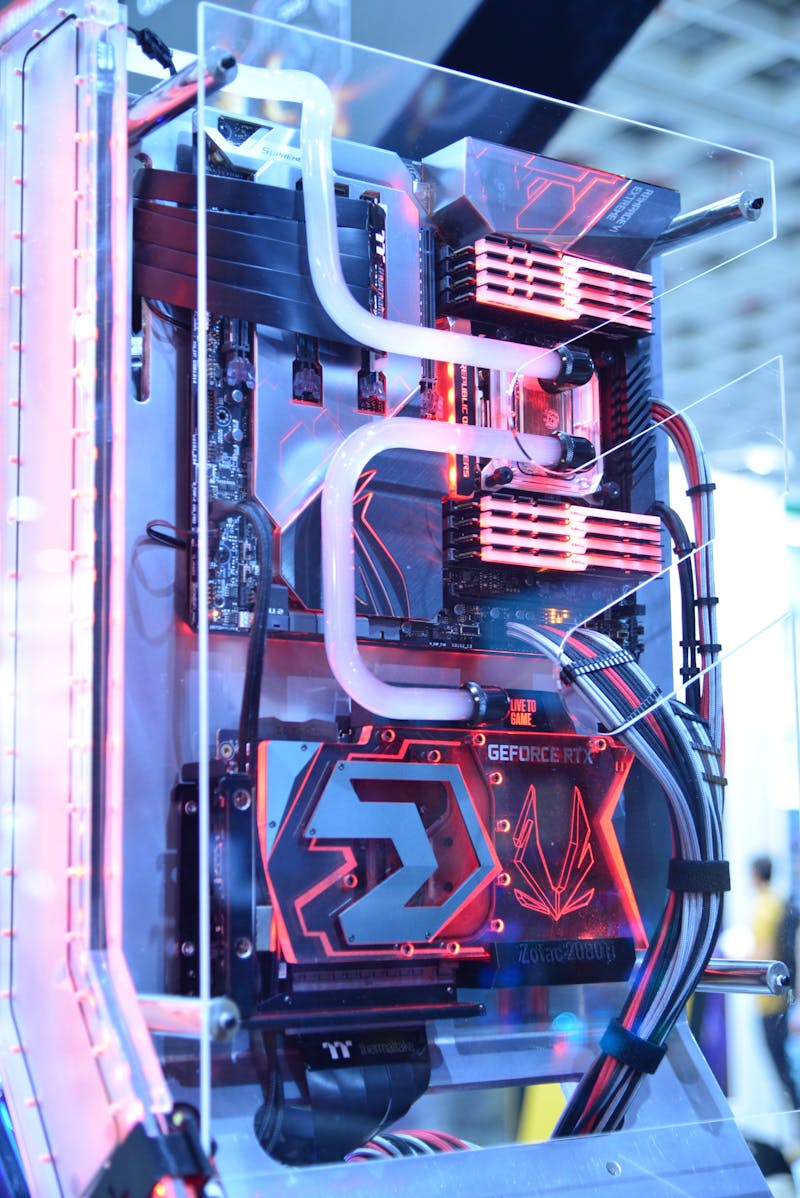
Intel Core i7 CPU generally provides a smoother gaming experience.
Is an i5 or i7 Better for Gaming?
Yes, an Intel Core i7 is generally better than an i5.
But an i5 CPU can still provide a pretty good gaming experience for most users, especially if you’re playing older or less demanding games.
Ultimately, the choice between i5 and i7 will depend on your specific gaming needs and budget.
Is an Intel Core i5 Good for Gaming?
Yes. An Intel Core i5 processor can be good for gaming, especially if you’re not into high-end or resource-intensive games.
While it may not offer the same level of performance as an i7, these i5 CPUs can still provide a smooth gaming experience for most users.
But if you’re looking to play the latest AAA titles or engage in competitive gaming, then you will want to go with an i7 for better performance.
What is the best Intel Core i5 gaming processor?
The highest-rated Intel Core i5 desktop gaming processor for 2023 is the i5-13600K. This CPU offers excellent performance and overclocking potential for a reasonable price.
And the best laptop Intel Core i5 gaming processor is the Intel Core i5-13400F. This is a 14-core, 20-thread processor with a base frequency of 2.6 GHz and a boost frequency of 4.8 GHz. It doesn’t have an integrated GPU, so it requires a dedicated one.
Is an Intel Core i7 good for gaming?
Yes. An Intel Core i7 CPU is excellent for gaming. With its stronger performance, the i7 is perfect for running the latest AAA titles and for competitive gaming.
These i7 processors offer more cores, higher clock speeds and larger cache size.
This translates to smoother gameplay, less lag and better frame rates, compared to an i5 processor. If you’re looking for top-notch gaming performance, then we recommend going with an i7.
What is the best Intel Core i7 gaming processor?
The Intel Core i7 gaming CPU with the highest ratings this 2023 is the i7-13700K. This is an 8-core, 16-thread processor with a base frequency of 3.6 GHz and a boost frequency of 5.1 GHz. It supports PCIe 5.0 and DDR5-4800 memory.
And the strongest Intel Core i7 gaming CPU is the i7-13700HX. It comes with a base frequency of 3.7 GHz and a boost frequency of 5.00 GHz.
These high-performance processors are more than enough for running the latest AAA titles.
If you’re looking for top-notch gaming performance, then you won’t be disappointed with 16-core, 24-thread these CPUs.
Intel Core i5 vs Intel Core i7: What are the Main Differences?
Intel Core i5 and i7 are two of Intel’s most popular processor families. The most notable differences are:
- Number of Cores: i7 CPUs typically have more cores than i5 processors. This improves multitasking and overall performance.
- Clock Speed: i7 processors generally have higher base and turbo clock speeds. This results in faster performance in single-threaded tasks and gaming.
- Hyperthreading: i7 processors support hyperthreading. This allows each core to handle two threads simultaneously. Older i5 CPUs don’t have this feature. Hyperthreading provide better performance in multi-threaded applications.
- Cache Size: i7 processors have larger cache sizes. This helps improve performance by reducing the need to access slower system memory.
- Integrated Graphics: Both i5 and i7 processors have integrated graphics. But i7 usually has slightly better performance in this area.
- Price: i7 CPUs are generally more expensive than i5 processors. Budget-conscious gamers may opt for an i5 processor to save money while still enjoying satisfactory gaming performance.
| Intel Core i5 | Intel Core i7 | |
|---|---|---|
| Number of Cores | Typically fewer cores, 8 to 14 on average | More cores, normally 10 to 20 |
| Max Clock Speed | 4.4 GHz – 5.10 GHz | 4.80 GHz – 5.40 GHz |
| Hyperthreading Support | Yes | Yes |
| Integrated Graphics | Good performance | Slightly better |
| Price Range | $196 – $353 | $384 – $502 |
Intel Core i7 processors generally offer better features and more powerful performance.
This includes core count, clock speed, hyperthreading, cache size, and integrated graphics.
Intel Core i5 CPUs are more budget-friendly and still provide satisfactory gaming performance for most users.
How to Compare Processors
When comparing processors, consider the following factors:
- Your Budget: This will start with your budget. For gaming an I7 CPU will provide better performance. Period.
- Number of Cores: More cores can improve multitasking and overall performance.
- Clock Speed: Higher base and turbo clock speeds result in faster performance in single-threaded tasks and gaming.
- Cache Size: Larger cache sizes can help improve performance by reducing the need to access slower system memory.
How Processors Affect Gaming Performance
The processor plays a crucial role in gaming performance. It handles the game’s logic, physics, and artificial intelligence and communicates with other components like the graphics card and memory. A faster CPU can improve frame rates, reduce input lag, and provide an overall smoother gaming experience.
How Many Cores Do You Need to Play?
The number of cores required for gaming depends on the type of game and your performance expectations.
Some general guidelines:
- Older and Entry-Level Games: These games typically have lower system requirements and can run smoothly on processors with 2 to 4 cores. Some examples include: Minecraft, Half-Life 2, The Sims 4, Civilization 6, etc.
- Mid-Range Games: More demanding games may require processors with 4 to 8 cores for optimal performance. For example: Grand Theft Auto V, The Witcher 3: Wild Hunt, Overwatch, Fortnite, Assassin’s Creed Valhalla, Cyberpunk 2077, Resident Evil Village, World of Warcraft, etc.
- High-End AAA Games: The latest AAA titles and competitive games often benefit from processors with 10 or more cores, as they can take advantage of the additional processing power to deliver higher frame rates and smoother gameplay. A few examples: Call of Duty: Vanguard, Far Cry 6, Forza Horizon 5, Halo Infinite, Marvel’s Guardians of the Galaxy, Microsoft Flight Simulator, and Shadow of the Tomb Raider.
Other Factors to Consider for Gaming Laptops
In addition to the processor, there are other factors to consider when choosing a gaming laptop:
What is the Best Video Card for Gaming?
NVIDIA RTX GPUs (graphical processing units) are highly rated for the gaming performance they offer for laptops and desktops. Good alternatives are newer AMD Radeon video cards.
How Much RAM Do I Need for Gaming?
RAM (Random Access Memory) is an essential component for gaming, as it stores data that the processor needs to access quickly. The amount of RAM you need depends on the games you play and your performance expectations. Generally, 8GB of RAM is sufficient for most entry-level and some mid-range games, but 16GB or more is recommended for demanding titles and multitasking.
How Much Disk Space Do I Need?
An SSD (solid state drive) with at least 256GB of disk space is sufficient for low to mid-range PC games this year. But higher-end titles often require more disk space, so an SSD with 512GB or more is a good option.
And if you intend to use your machine for other tasks like rendering videos, then an SSD with more disk space is recommended. A more inexpensive alternative is to go with an SSD and HDD (hard disk drive) combo. Although HDDs are pretty obsolete in 2023
Interesting Facts about Intel CPUs and the PC Gaming Industry this 2023
- Intel CPUs use a unique naming convention to denote product family, generation, SCU (supervisory control unit) number and sometimes, series. For example, the i5-13400 processor belongs to the i5 family of Intel Core CPUs. It’s a 13th generation processor. The SCU of this product is 400.
- Intel has a special room where they fabricate their CPUs. Dubbed as “clean rooms”, these are thousands of times more sanitized than most hospital rooms, according to this report. Intel employees must wear what they call “bunny suits” when they work at these rooms.
- In 1991, Intel launched their “Intel Inside” advertising campaign. This is now among the world’s most successful ad campaigns in history, as mentioned in the same report above.;
- This report estimates that there are around 3.09 billion video gamers worldwide today. And, this number is expected to grow by more than 10% next year. What this could mean is we are likely to see more competitive options for CPUs and GPUs this year and beyond.
- A video gamer spends about 6 hours on average each day playing, according to this post. So, you’re recommended to also think about power optimization features available in the i5 or i7 CPU you want. This is especially helpful if you use a laptop and are frequently on the move.
- Casual single-player games top the list as the most played type of video game in 2021. This post also claims more than 80% of video gamers worldwide regularly play this game.
Conclusion: Which CPU to Go With?
Should I Buy a Computer with i5 or i7 for Gaming in 2023?
The choice between an Intel Core i5 or i7 processor for gaming depends on your performance expectations, budget, and the types of games you play.
An i5 processor, such as the i5-13400, offers a great balance of performance and value, making it suitable for most gamers.
However, if you’re looking for top-notch gaming performance and have a higher budget, then an i7 processor like the i7-13700K is an excellent choice.
Feel free to share your thoughts and experiences in the comments section below. Happy gaming!